
At Aspyn Information Services, we frequently get asked: “How can I start experimenting with Large Language Models (LLMs) locally without sacrificing my privacy or paying for cloud subscriptions?”
A friend recently asked for a setup guide to run models locally, with the goal of branching into complex models and Mixture-of-Experts (MoE) systems. They were working with a solid baseline: 16 GB of system RAM (or more), an INTEL processor, and an NVIDIA GeForce RTX 3060 with 12 GB of VRAM. This is a fantastic “sweet spot” for entry-level local AI. This is a typical setup for a “Gaming Rig” that doubles as an entertainment PC. In this case we decided to deviate from the simpler “Ollama” install due to the support capabilities that Llama.cpp provides for MOE models (when the friend has more local system memory available).
For this workflow, we recommend **llama.cpp**. It is highly efficient, supports hardware acceleration, and is perfect for tasks like summarizing documents, analyzing web pages, and even working with images.
The Setup: Hardware and Software
To leverage your GeForce card, you need the right drivers and the right binary. Since this user was already running recent NVIDIA drivers, we opted for the latest CUDA-accelerated release.
1. **Download the Binaries:** Head to the [llama.cpp GitHub releases](https://github.com/g
2. **Get the CUDA Binaries:** Download the Windows X64 (CUDA 13) release.
3. **Don’t Forget the DLLs:** Crucially, download the corresponding CUDA 13.5 DLLs.
* *Note:* If you skip the DLLs, `llama-server` will default to your CPU, which will be painfully slow compared to your GPU.

Extract these to a shared location, such as `C:\Users\Public\Applications\
Choosing Your Model
For a 12 GB VRAM card, you need a model that balances intelligence with size. We recommended **Qwen3.5-9B (GGUF)**. Specifically, the **Q6_K_XL** quantization provides an excellent balance of speed and accuracy.
* **Download:** [Qwen3.5-9B-GGUF](https://hugg
* **Essential Files:** Grab the `Qwen3.5-9B-UD-Q6_K_XL.gguf` file and the `mmproj-F16.gguf` file (the latter is required for multimodal capabilities like image analysis).
Running Your Local Server
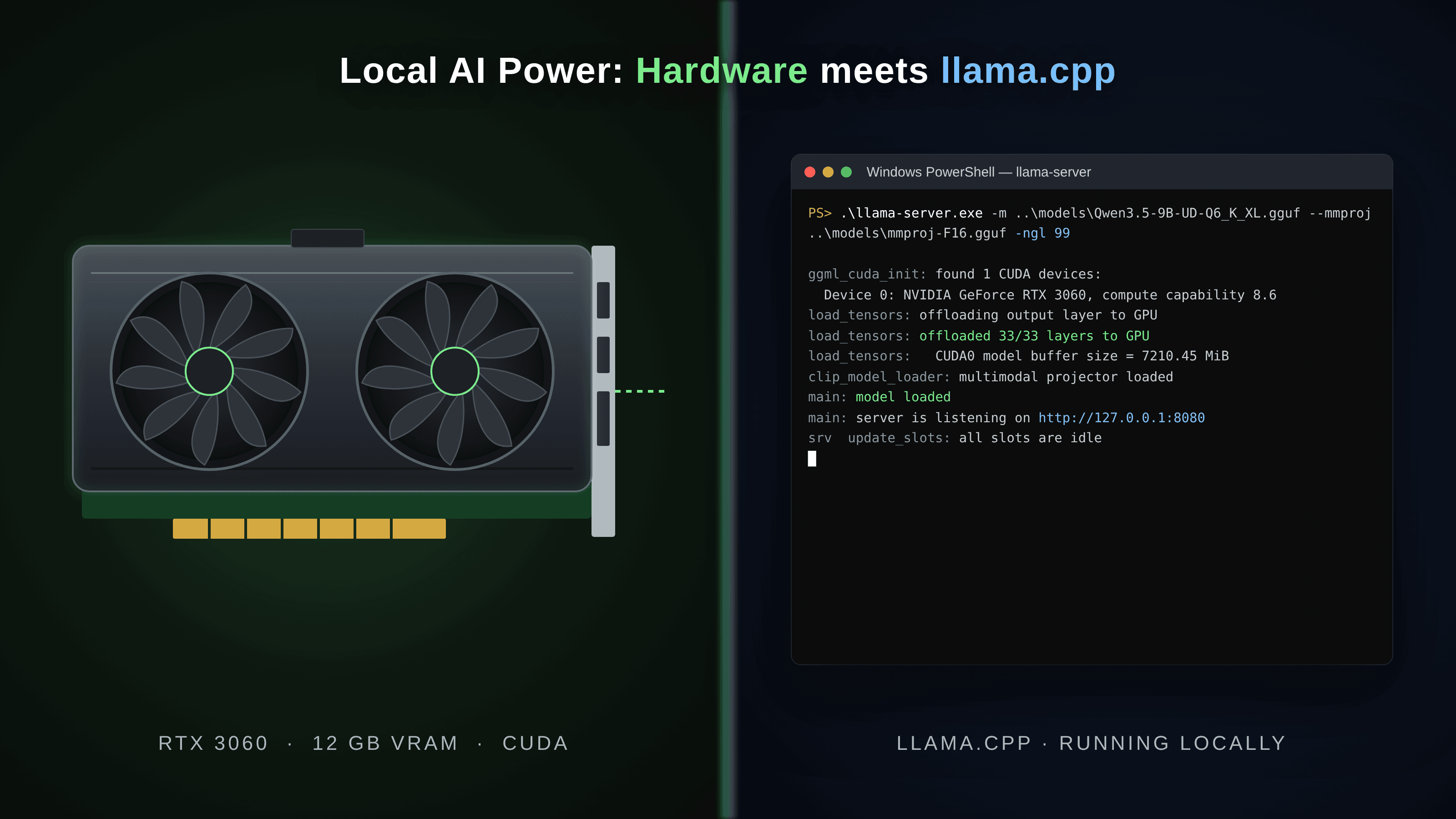
To launch the server, open PowerShell, navigate to your llama.cpp folder, and run:
powershell
.\llama-server.exe -m ..\models\Qwen3.5-9B-UD-Q6_K_XL.gguf --mmproj ..\models\mmproj-F16.gguf -ngl 99

Decoding the Command
* `-m ..\models\Qwen3.5-9B-UD-Q6_K_X
* `–mmproj ..\models\mmproj-F16.gguf`: Links the projector file so the model can “see” images.
* `-ngl 99`: This is the secret sauce. It tells llama.cpp to offload as many layers (99 is essentially “all”) as possible to your GPU. This is why you installed the CUDA DLLs!
Monitoring Performance
How do you know it’s working? Open a second command window and run `nvidia-smi`. You will see your GPU memory usage jump as the model loads.

#image_title
Inside the local chat web interface (defaulting to port 8080), ensure you check the box to **”Show message generation statistics.”** This provides real-time data on how fast your machine is processing tokens, which is helpful when you start tweaking settings to find that perfect balance of speed and quality.
Proactive IT Management
Local AI is a game-changer for data privacy and document analysis. Whether you are summarizing massive project reports or exploring new workflows, having the compute power on your own machine is a powerful asset.
For more insights on staying productive, check out our recent posts on [optimizing Windows for virtualization](https://aspyn.
Need professional support to build your AI workstation or optimize your infrastructure? [Contact Aspyn Information Services](https://aspyn.com/) today. Let’s make your IT work for you.
